
A mecha model can dominate a shelf in the best way, but only when the pose, lighting, and available space work together. This guide uses the dimensions and visual features of the BT-7274 Inspired Vanguard Titan Mecha Building Set to create a practical display plan for a gaming desk, collector shelf, or home office.
1. Measure the Display Zone, Not Just the Shelf
The model's listed dimensions describe the finished build, but a comfortable display needs extra clearance. Allow room above the model so it does not look compressed, space beside the cannon and shoulders, and enough depth to keep the feet away from the shelf edge.
| Placement | What to measure | Practical consideration |
|---|---|---|
| Gaming desk | Free width, depth, and monitor clearance | Keep the model away from mouse movement, cables, speakers, and ventilation openings |
| Open shelf | Internal shelf height plus front-edge clearance | Choose a stable surface where the model will not be brushed during normal use |
| Display cabinet | Door clearance and usable interior depth | Confirm the cannon and rear equipment do not touch the door or back panel |
| Home office | Viewing angle from the chair and walkway distance | Use a position that is visible without placing the model in a high-traffic path |
2. Start With a Stable Neutral Pose
Before trying a dramatic action stance, place both feet firmly on a level surface and keep the torso centered between them. Attach and align the cannon only after the main body is stable. Make small changes one at a time so you can tell which adjustment affects the balance.
- Set both feet flat and use a moderately wide stance.
- Center the hips and torso over the space between the feet.
- Adjust the arms without pulling the upper body to one side.
- Position the cannon and rear equipment, then recheck the model from the front and side.
- Gently test whether the model remains steady before leaving it on display.
For long-term display, a controlled stance is usually easier to maintain than a pose that shifts most of the weight over one foot.
3. Use Lighting to Reveal the Mechanical Layers
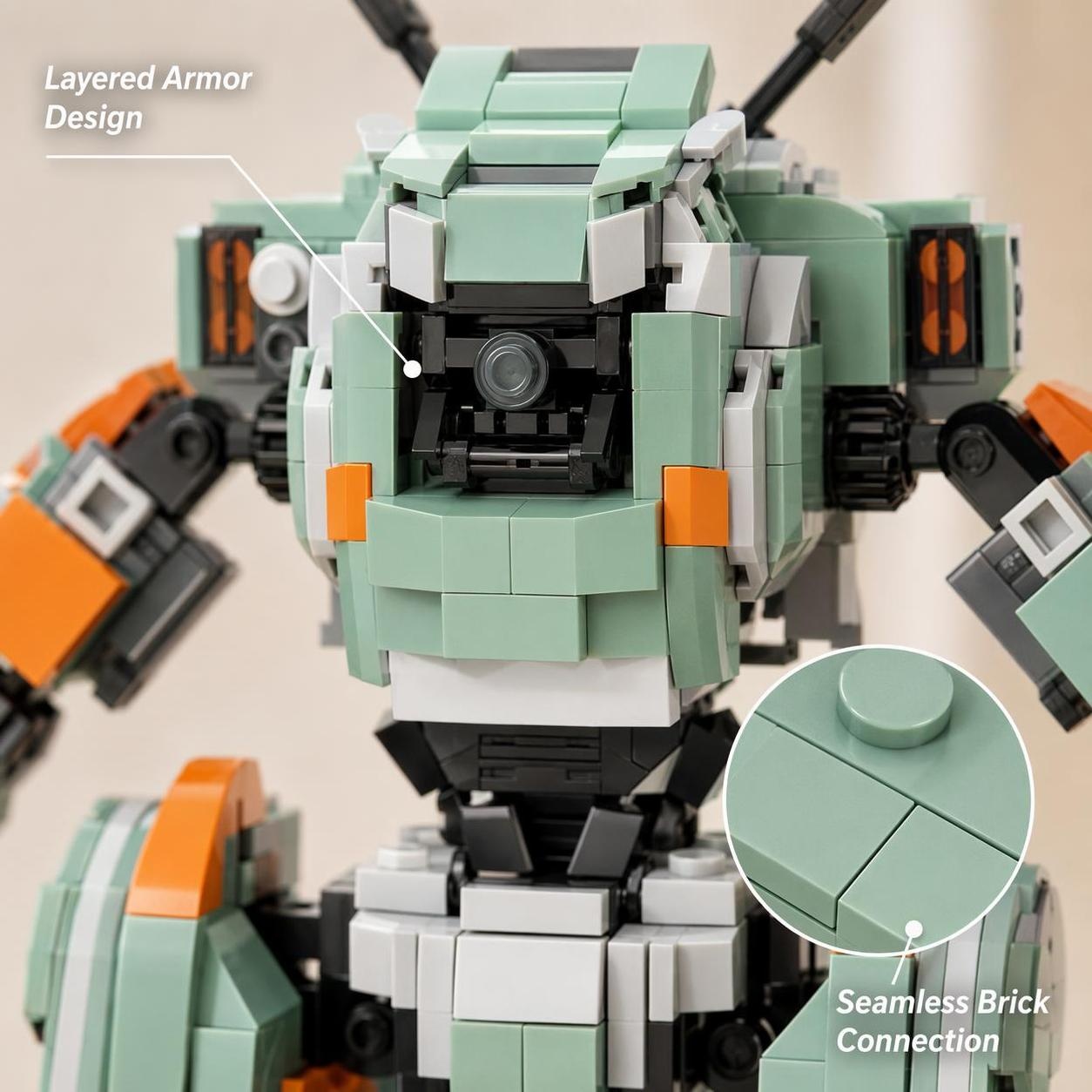
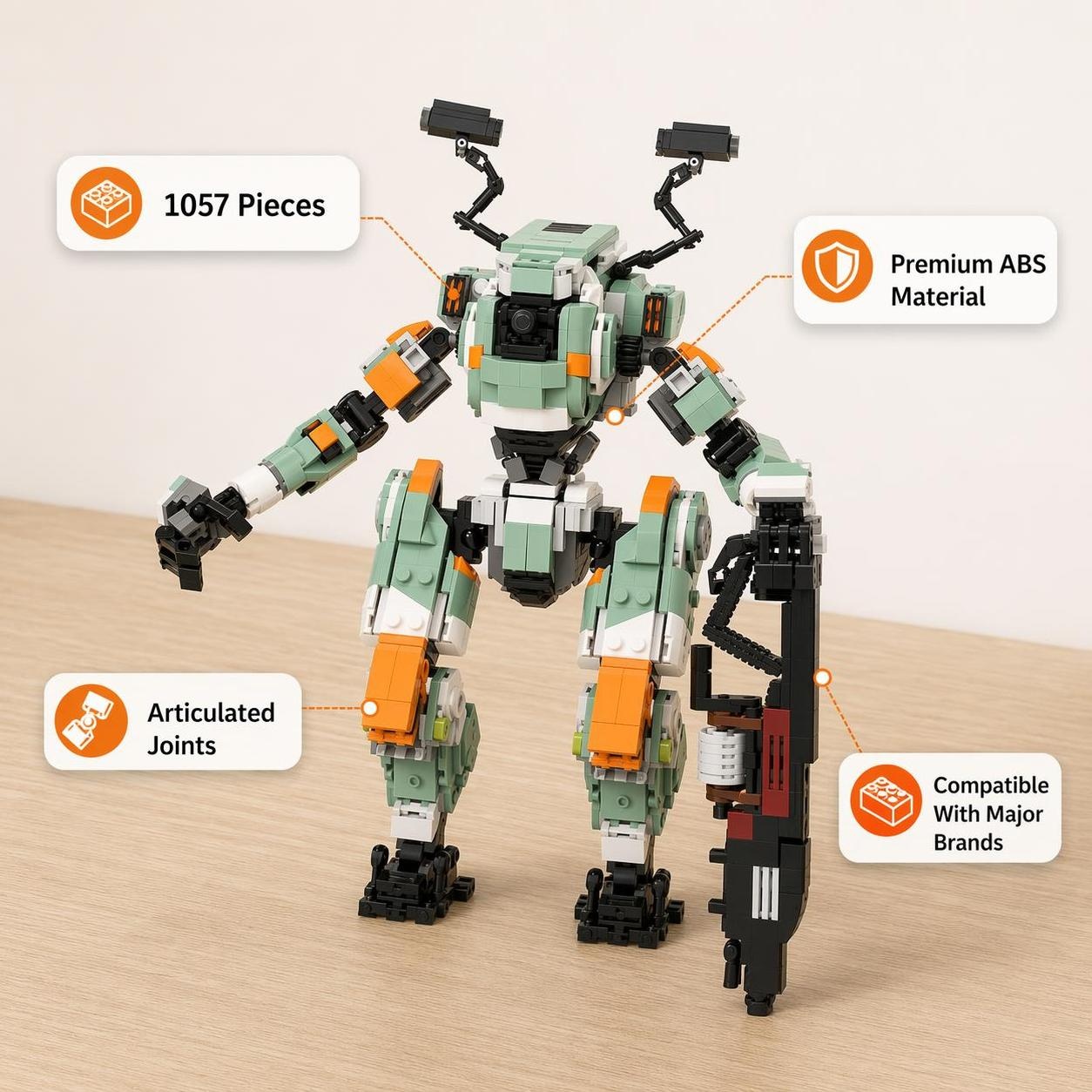
The model combines teal-green armor, orange accents, a dark internal structure, and a large black cannon. Flat front lighting can make those layers blend together. A simple angled light creates more separation.
Simple one-light setup
- Place a diffused lamp above and about 45 degrees to one side.
- Turn the torso slightly toward the light.
- Keep the cannon from completely shadowing the chest.
- Use a white wall or card on the opposite side to soften deep shadows.
For a gaming desk
- Use monitor or room light as soft ambient illumination.
- Add one warmer or neutral accent light for shape.
- Avoid placing a bare LED point directly in the viewer's eye line.
- Keep lights and cables clear of the model's feet.
Start with neutral white light before adding colored RGB light. Once the teal panels and orange details remain readable, a subtle blue, cyan, or warm backlight can create a sci-fi atmosphere without hiding the brick-built texture.
4. Choose a Background That Supports the Silhouette
A busy shelf can hide the shoulder shape, exposed mechanics, and cannon profile. Leave some empty space behind the model or use a simple background in charcoal, warm gray, or a muted complementary color.
For a layered collector display, place smaller objects lower and farther forward rather than directly behind the head and shoulders. If you display several models together, use height differences so each silhouette remains recognizable. The Mecha & Sci-Fi building set collection can help you compare forms and color palettes before arranging a group.
5. Integrate the Model Into a Gaming Desk
Place the model where it adds a focal point without competing with daily movement. A rear corner beside the monitor often works better than the area next to the mouse or keyboard. Keep it clear of monitor vents, computer exhaust, charging docks, and frequently moved cables.
Turn the mecha slightly toward the center of the desk. That creates a stronger three-quarter view, shows more of the torso and cannon, and makes the model feel connected to the setup rather than pressed against a wall.
6. Photograph the Finished Display With a Phone
You do not need specialized camera gear. The most important choices are a clean lens, a stable phone, and a deliberate camera height.
- Clean the phone lens and remove distracting items from the frame.
- Set the camera close to the model's chest or head height for a stronger sense of scale.
- Use the standard lens or a modest optical zoom if your phone supports it. Avoid extreme digital zoom.
- Tap the model to focus and lower exposure slightly if bright armor loses detail.
- Take front three-quarter, low-angle, side, and detail images before changing the pose.
For a cleaner product-style image, use a plain background. For a gaming-room image, include enough of the desk to establish context while keeping the mecha as the brightest or sharpest subject.
7. Keep the Display Easy to Maintain
Dust with a clean, soft brush while supporting the nearby section with your other hand. Move the model by supporting the torso and lower body together, not by lifting a limb, cannon, or rear accessory. After moving it, return to a neutral pose and check that both feet are stable.
Place the model where normal desk use will not knock it, and avoid excessive heat or prolonged direct sunlight. If the display must be relocated, remove or support large accessories first and carry completed modules carefully.
What Makes This Design Distinctive?
The design is a fan-made MOC inspired by BT-7274 and the Vanguard-class Titan aesthetic from Titanfall 2. EA's official material identifies BT-7274 as the Vanguard-class Titan partnered with Jack Cooper. The teal-green armor, orange accents, exposed mechanical structure, broad shoulders, rear equipment, and brick-built cannon translate that visual language into a display model.
The set is independently produced. It is not an official LEGO set and is not an officially licensed Titanfall product. It contains small parts and is not suitable for children under three.
Build a New Focal Point for Your Setup
See the complete specifications, product images, and current availability for the 1,057-piece display model.
Measurements and product details are based on the product page available at publication and may be updated. Before ordering, review the current shipping policy and returns and refund policy.